
If you want your Instagram Stories to feel more alive, adding music is one of the easiest ways to do it. Music helps set the mood, grab attention, and keep people watching instead of tapping away.
Whether you are sharing a quick update, promoting something, or just posting for fun, music can completely change how your Story feels. The good news is Instagram gives you several ways to add music, even if the music sticker does not show up for you.
This guide walks you through all the main methods step by step, plus a few workarounds if you get stuck.
How to Add Music to Your Instagram Story (Using the Music Sticker)
Adding music directly inside Instagram is the easiest and safest option.
Step 1: Open Instagram
Open the Instagram app and make sure you are logged in.
Step 2: Open Stories
Tap Your Story in the top left corner.
You can also tap the paper airplane icon under a post and choose Add post to your story.

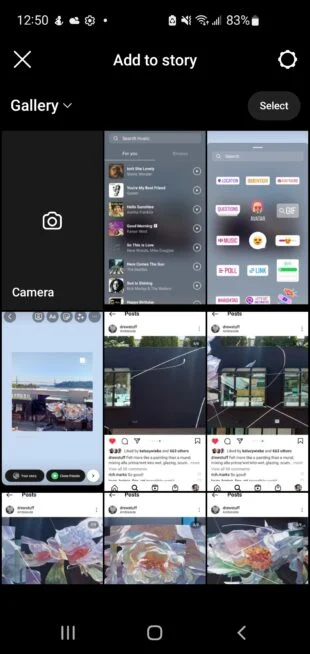
Step 3: Capture or Upload Content
Tap the camera to take a photo or video
Or swipe up to choose something from your gallery
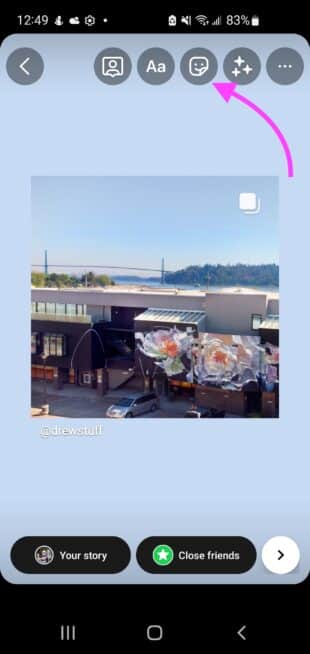
Step 4: Open Stickers
Tap the sticker icon at the top of the screen.
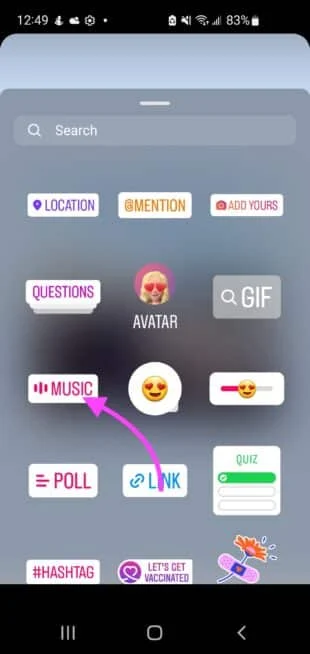
Step 5: Select the Music Sticker
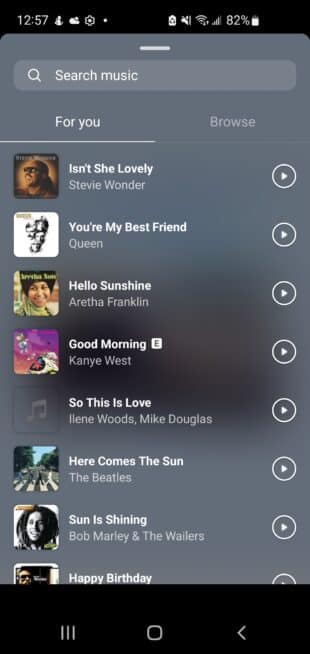
Tap Music to open Instagram’s music library.
Step 6: Choose a Song
Search for a song or browse by mood, genre, or trending tracks.
Select the part of the song you want to use.
Step 7: Customize
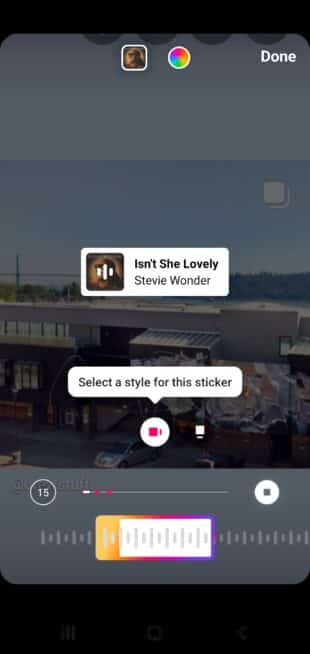
You can:
Change how the song title appears
Pick lyrics if available
Adjust which part of the song plays
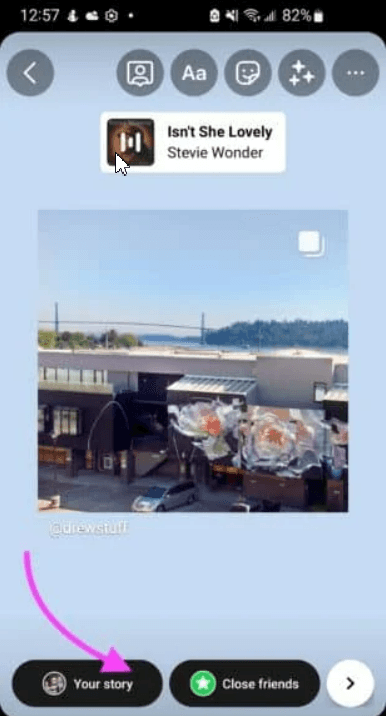
Tap Your Story to post it publicly or Close Friends for a private audience.
That’s it. Your Story now has music playing smoothly in the background.
Bonus: How to Get More Followers on TikTok
How to Add Music Without the Music Sticker
Sometimes the music sticker does not appear. This usually happens because:
Your app is outdated
Music is restricted in your country
You are using a business account
If that happens, try one of the methods below.
Method 1: Play Music in the Background
This is the simplest workaround.
Open Spotify, Apple Music, or any music app
Play the song you want
Open Instagram and swipe right to open Stories
Record your photo or video while the music is playing
This method works, but:
You won’t see lyrics or album art
There is a small risk of copyright issues
Keep clips short to stay safe.
Method 2: Use a Video Editing App
If you want more control, this is the better option.
Open an app like InShot or Adobe Premiere Rush
Import your photo or video
Add music and adjust volume
Export the video
Upload it to Instagram Stories
This method gives you clean audio and more editing freedom, but always be careful with copyrighted music.
Instagram Copyright Rules (Quick Overview)
Instagram allows music in Stories, but there are limits.
Short clips work best
Full songs may get muted
Visual content is required
Repeated copyright issues can restrict your account
If you are unsure, keep music clips short and avoid reposting full tracks.
How to Schedule Instagram Stories With Music
If you manage content regularly, scheduling can save a lot of time.
Choose a tool like Later, Buffer, Hootsuite, or Simplified
Upload your photos or videos
Add captions and stickers if supported
Set your posting time
Review and confirm
Scheduling helps you stay consistent without posting everything manually.
Bonus: How to Get More Views on TikTok
How to Add Music to an Instagram Story Using Spotify
Spotify makes it easy to share music directly to Stories.
1. Open the Spotify app
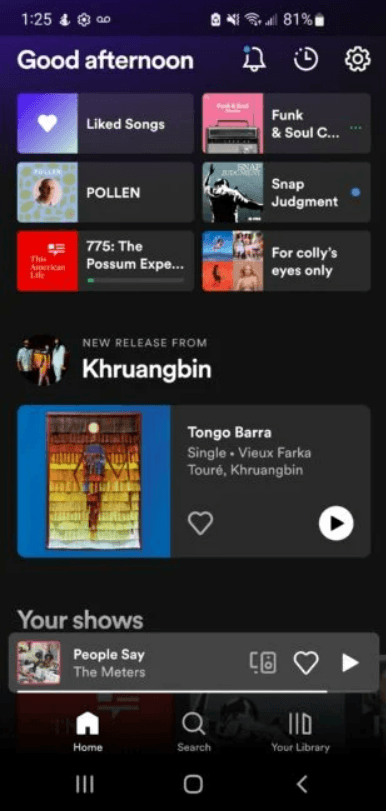
2. Find the song, album, or playlist
3. Tap the three dots
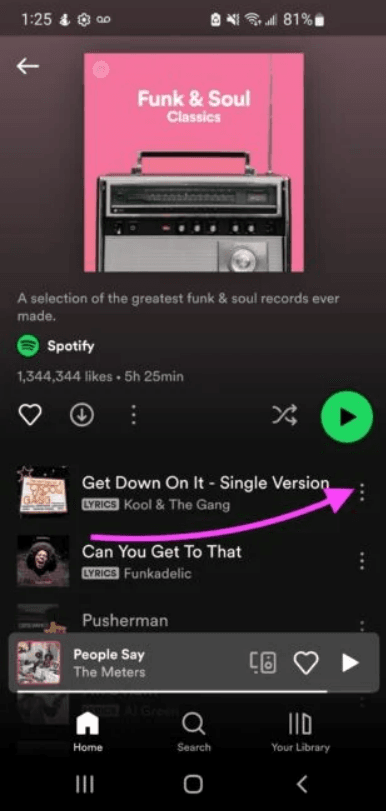
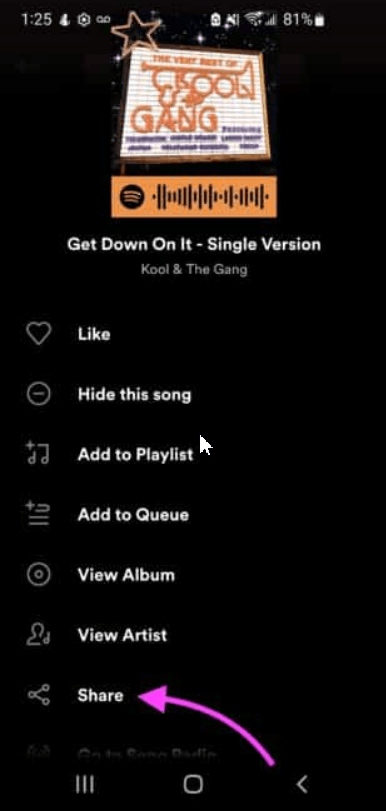
4. Select Share
5. Choose Instagram Stories
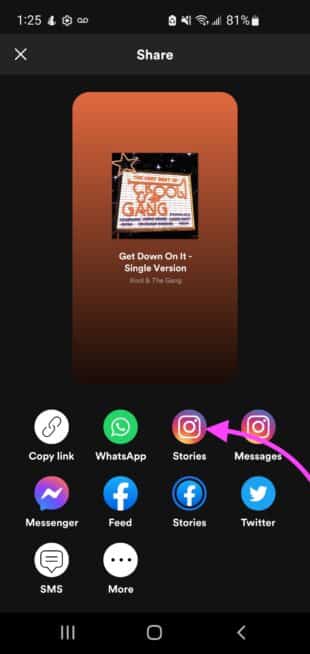
Instagram will create a Story with the cover art.
You can then add text, stickers, or effects before posting.
Followers can tap your Story and open the song directly in Spotify.
Want the music to actually play?
Add the Music sticker and select the same song manually.
How to Add Music Using Apple Music
Apple Music sharing is quick and simple.
Open Apple Music
Find the song or playlist
Press and hold, then tap Share
Choose Instagram
Instagram will create a Story using the album cover, which you can customize and post.
Bonus: How to Earn Money on TikTok
How to Add Music Using SoundCloud
SoundCloud is great for artists and music lovers.
1. Open SoundCloud
2. Find a song or playlist
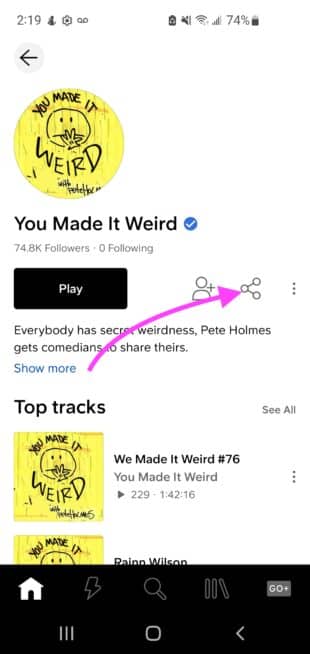
3. Tap Share
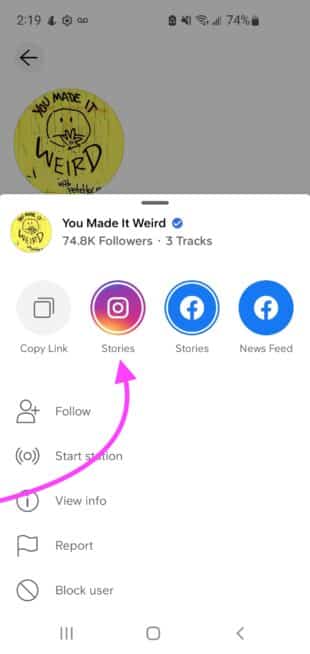
4. Choose Stories
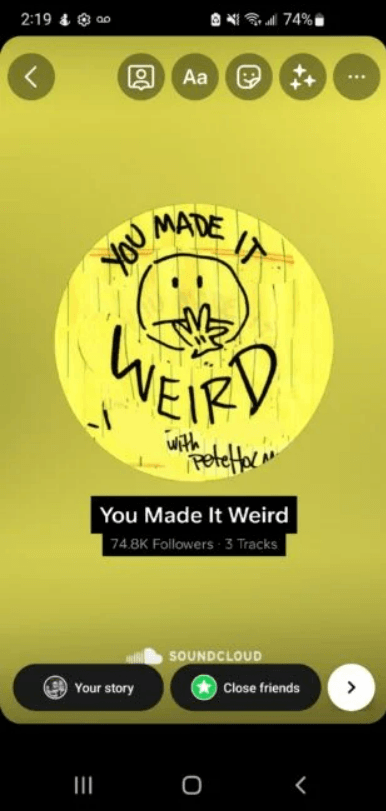
Instagram opens automatically with the cover art.
To play music over it, add the Music sticker and select the same track.
Viewers will see a Play on SoundCloud link at the top of your Story.
How to Add Music Using Shazam
Shazam also lets you share songs to Stories.
Open Shazam
Identify a song or choose one from your history
Tap Share
Select Instagram
Instagram creates a Story with the song cover.
To play the music, add it again using the Music sticker.
This is great for sharing new songs you just discovered.
Why Instagram Shows Limited Music Options
If your music choices feel limited, this is usually why:
Business Account
Instagram restricts music for business accounts due to licensing.
Switching to a creator or personal account unlocks more songs.
Location Restrictions
Music availability depends on your country’s copyright rules.
App Version
An outdated app can hide music features.
How to Fix It
Switch account type
Update Instagram
Try a different region with a VPN (use carefully)
Final Tip
If music really matters to your content, always test your Story before posting. Sometimes one small change like switching account type instantly fixes everything.