
Almost every social media study points to the same thing: video performs better than any other content format. Short videos dominate TikTok and Instagram, while longer videos work best on YouTube.
The problem is not ideas.
The problem is execution.
Making videos means writing scripts, recording footage, editing clips, fixing audio, and resizing everything for different platforms. That’s a lot of work, and most people are only good at one or two of those steps.
That’s where AI video tools help.
AI video tools do not replace creators, but they remove the boring parts. They can help with scripts, cut long footage into short clips, clean up audio, generate captions, and even present content using AI avatars.
I tested several popular AI video tools to understand:
- What they are actually good at
- Who should use them
- Where they fall short
- How much they cost
Below are the best AI video tools for creators and marketers, based on real use, not just feature lists.
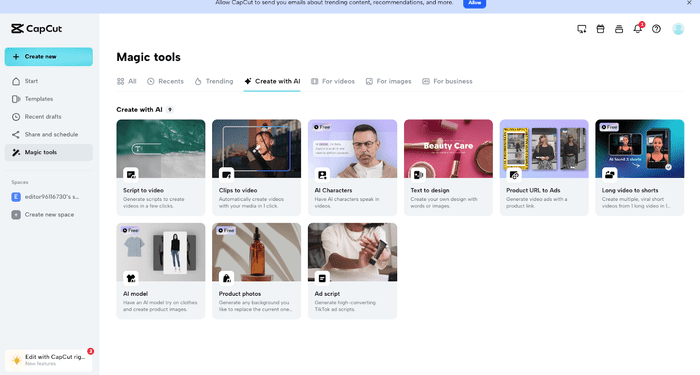
1. CapCut
CapCut is a free video editing app built by ByteDance, the same company behind TikTok. It’s designed for fast editing and social media content.
What makes CapCut stand out is how quickly you can start. You don’t need tutorials or editing experience. Open the app, drop your clips, and start editing.
It works well for short videos, reels, and TikTok-style content. You can also do more advanced edits if needed, but its real strength is speed.
Key Features
- Simple, beginner-friendly interface
- Multi-track editing and keyframe animation
- AI tools like auto captions and smart cropping
- High-resolution exports up to 4K
- Cloud storage for projects
Pros
- Free to use without watermarks on exported videos.
- Offers a range of editing tools for both beginners and advanced users.
- Regular updates with new features and improvements.
Cons
- Lacks some advanced features found in paid editing tools.
- Can experience performance issues on older or less powerful devices.
- Ads may be annoying for some users.
Pricing
CapCut is completely free to use, with no need for a premium subscription.
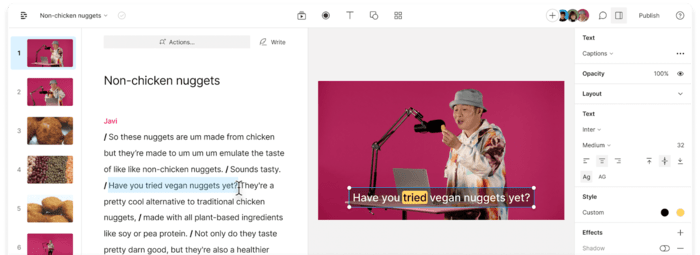
2. Descript
Descript changes how video editing works. Instead of editing clips on a timeline, you edit text.
Once you upload a video or audio file, Descript transcribes it. You then edit the text, and the video edits itself. Delete a sentence in the text and that part disappears from the video.
This is extremely useful for:
- Talking-head videos
- Podcasts
- Tutorials
- Screen recordings
Key Features
- Text-based video and audio editing
- Accurate automatic transcription
- Built-in screen recording
- AI voice cloning and text-to-speech
- Team collaboration tools
Pros
- Very efficient for editing and transcription tasks.
- User-friendly interface with strong features.
- Great collaboration tools for team projects.
Cons
- Fewer advanced video editing options compared to traditional software.
- Can be pricey for individual users.
- Occasionally, transcription errors may need manual correction.
Pricing
Free plan available. Paid plans start at $12 per month.
3. Lumen5
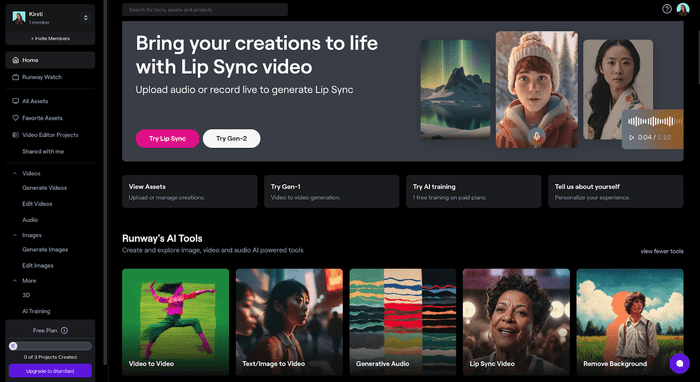
Lumen5 is built for turning written content into videos. If you have blog posts, articles, or scripts and want quick videos, this tool does most of the work for you.
You paste your text, and Lumen5 automatically selects visuals, animations, and music. You can edit everything, but the base structure is created by AI.
This works best for marketing videos, explainers, and social media posts.
Key Features
- Blog-to-video and article-to-video conversion
- AI-selected visuals and music
- Ready-made templates
- Brand kits for logos, fonts, and colors
- Social media-friendly formats
Pros
- Very easy to use, even without video editing skills.
- Saves time by automating the video creation process.
- Offers high-quality templates and visuals.
Cons
- Limited control over detailed video editing.
- Premium templates and extra features need a subscription.
- May not be ideal for videos requiring a lot of customization.
Pricing
Free plan available. Paid plans start at $29 per month.
Bonus: How to Earn Money on TikTok
4. Synthesia
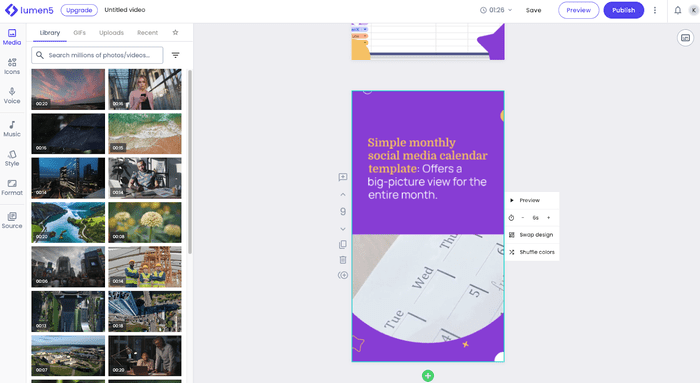
Synthesia focuses on AI avatar videos. Instead of recording yourself, you write a script and choose an AI presenter.
This tool is popular for:
- Training videos
- Product demos
- Internal company communication
- Educational content
The avatars look realistic and support multiple languages, which makes it useful for global audiences.
Key Features
- AI avatars with natural speech
- Text-to-video generation
- Custom avatar creation
- Support for 40+ languages
- Simple video editor
Pros
- Ideal for quickly creating professional and engaging videos.
- Supports many languages, making it suitable for global use.
- Custom avatars boost brand identity and personalization.
Cons
- Limited to avatar-based videos, which may not fit all content types.
- Can be pricey for individuals and small businesses.
- Full access requires a subscription.
Pricing
Free trial available. Paid plans start at $30 per month.
5. Filmora
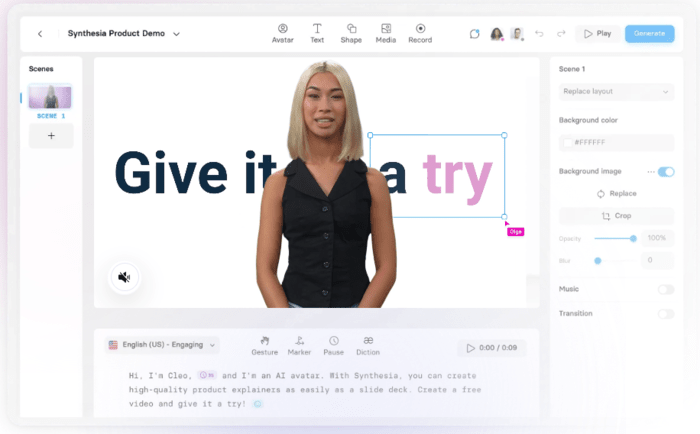
Filmora is a traditional video editor with AI features added on top. It sits between beginner tools and professional software.
If you want more control than CapCut but don’t want the complexity of Premiere Pro, Filmora is a good middle ground.
Key Features
- Drag-and-drop interface
- Motion tracking and keyframing
- Large effects and template library
- AI audio cleanup and scene detection
- Multiple export formats
Pros
- Suitable for both beginners and more experienced users.
- Regular updates with new features.
- Large selection of effects and templates.
Cons
- Some advanced features are only available with a premium subscription.
- May use up significant resources on less powerful devices.
- Free version adds a watermark to exported videos.
Pricing
Free version available. Paid plans start at $39.99 per year.
6. InVideo
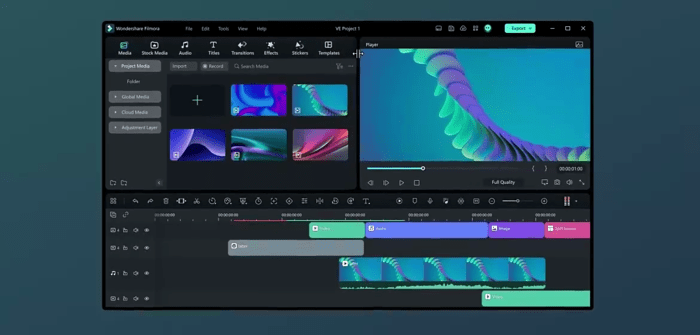
InVideo is an online video editor designed for speed. It’s especially useful for marketers and social media teams.
The platform offers thousands of templates, so you can create videos without starting from scratch.
Key Features
- 4,000+ video templates
- AI text-to-video tools
- Team collaboration
- Custom branding options
- HD and 4K exports
Pros
- Easy to use, even for beginners.
- Lots of templates and customization options.
- Great for team projects with its collaboration tools.
Cons
- Fewer advanced editing features compared to some desktop software.
- Some templates and features are only available with a subscription.
- Can have performance issues with very large projects.
Pricing
Free plan available. Paid plans start at $15 per month.
7. FlexClip
FlexClip AI Video Editor is a versatile and user-friendly online tool designed to simplify video creation for creators and marketers. With its intuitive interface, FlexClip enables users to produce professional-quality videos with ease, leveraging AI-powered features such as text-to-video, text-to-speech, and AI translator.
Key Features
- AI Text-to-Video, Blog-to-Video and Script-to-Video.
- AI Video Translator, Auto Subtitles and AI Text-to-Speech : 140+ Languages, 400+ Voices.
- AI Image Generator, AI Noise Reducer and AI Vocal Remover.
- Team management: Enable users to view and edit all projects in the workspace.
- Millions of Royalty-free Stock Media including photos, videos, and music.
- 6000+ exquisitely designed video templates in diverse categories.
Pros
- AI-powered and free to use.
- Offers a range of advanced editing tools for both beginners and advanced users.
- Regular updates with new features and improvements.
Cons
- Some AI features are only available with a premium subscription.
- Free version adds a watermark to exported videos.
Pricing
FlexClip has a free version with limited AI features and a watermark on exported videos. Premium plans start at $9.99 per month.
AI Video Tools Are Helpful, Not Perfect
AI video tools save time and reduce effort, but they still need human input.
They can:
- Speed up editing
- Improve consistency
- Help with ideas and structure
They cannot:
- Replace creativity
- Understand context perfectly
- Fix weak storytelling
The best results come from using AI as an assistant, not a replacement.
Looking for More AI Video Tools?
If you’re interested in trying out more AI video tools beyond those mentioned, there are several options to consider, each catering to different needs. Here are a few worth checking out:
- Adobe Premiere Pro: A top-tier video editing software with AI features that assist in professional video creation.
- Magisto: An AI-powered video editor that helps you create marketing videos quickly and efficiently.
- Animoto: A straightforward tool for making slideshow-style videos, enhanced by AI to simplify the process.
- Veed.io: An online video editor that includes a variety of AI tools to enhance your video content.
- Clipchamp: A web-based video editor offering AI features and a user-friendly design.
Exploring these tools can help you find the one that best suits your needs and preferences.
Final Thoughts
AI video tools have changed how creators and marketers work. From fast edits in CapCut to avatar videos in Synthesia, there’s a tool for almost every use case.
No tool is perfect. But when you understand what each one does best, you can save hours of work and focus more on ideas and creativity.
Used correctly, AI doesn’t replace creators. It removes friction so creators can move faster.