
If you’re reading this, you probably already know LinkedIn matters. The real question isn’t whether LinkedIn is useful, but whether paying for LinkedIn Premium actually gives you an edge for job hunting, sales, or recruiting.
Short answer: yes, but only if you use it the right way.
LinkedIn isn’t just another social network. With over 750 million users worldwide, it’s where hiring decisions, deals, and career moves actually happen. LinkedIn Premium doesn’t magically create opportunities, but it does remove several limits that slow you down on the free plan.
This guide breaks down:
What LinkedIn Premium really is
How much it costs
What you actually get for the money
And who should (and shouldn’t) pay for it
What Is LinkedIn Premium?
LinkedIn Premium is a paid upgrade that unlocks tools you don’t get with a free account. These tools focus on three main things:
Reaching people outside your network
Understanding who’s interested in your profile
Searching LinkedIn without limits
LinkedIn currently offers four main account types:
1. LinkedIn Free
This is the default account. You can:
Create a profile
Connect with people
Apply for jobs
Send messages to connections
For casual use, it’s fine. For serious job hunting, sales, or recruiting, it feels restrictive fast.
2. LinkedIn Premium (Career and Business)
This is the general upgrade most people think of when they hear “LinkedIn Premium.” It adds:
InMails
Profile view insights
Skill comparisons
LinkedIn Learning access
Best for job seekers and professionals who want better visibility.
Built specifically for sales and lead generation. It adds:
Advanced filters
Lead tracking
CRM style tools
This is not just “Premium Plus.” It’s a different product.
4. LinkedIn Recruiter
Designed for recruiters and hiring teams. It offers:
Deep candidate search
Hiring focused filters
ATS integrations
You can try most Premium plans free for one month, which is honestly the smartest way to decide if it’s worth paying for.
LinkedIn Premium Cost Breakdown
Pricing depends on what you’re trying to do:
LinkedIn Premium Career
$39.99 per month
LinkedIn Premium Business
$59.99 per month
LinkedIn Sales Navigator
Professional: $99.99 per month
Team: $149.99 per month
Enterprise: Custom pricing
LinkedIn Recruiter
Recruiter Lite: $2,399 per year
Recruiter: $8,999+ per year
Yes, some of these are expensive. The real question is whether the tools help you make money or land a role faster. If they don’t, the price doesn’t matter.
Core Benefits of LinkedIn Premium
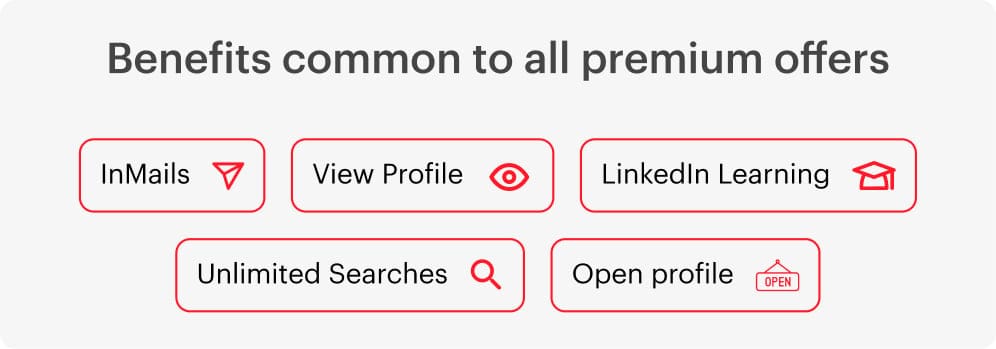
Every Premium plan includes a few shared features. Here’s what actually matters.
1. InMails (Messaging Outside Your Network)
InMails let you message people you’re not connected with. This alone is the biggest reason most people upgrade.
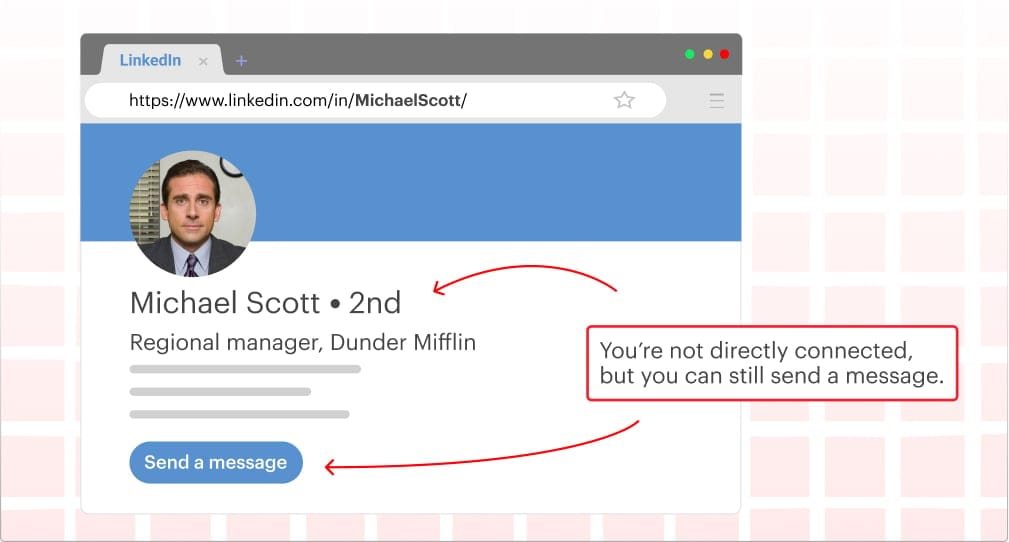
Monthly InMail limits:
Career: 5
Business: 15
Sales Navigator: 50
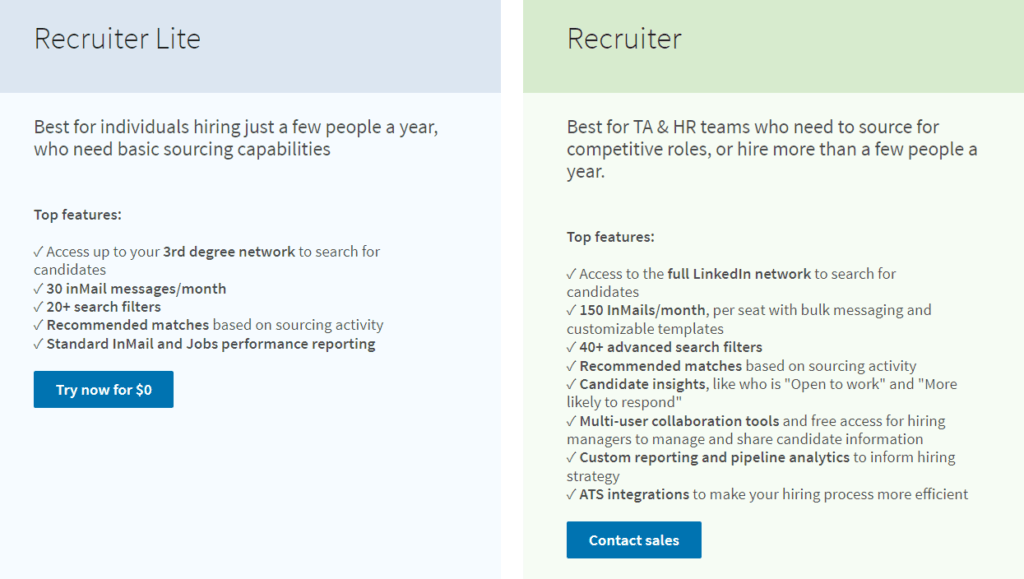
Recruiter Lite: 30
Recruiter: 150
This is useful for:
Reaching recruiters
Contacting decision makers
Starting conversations without sending a connection request
That said, InMails only work if the message is good. A bad InMail gets ignored just as fast as a bad cold email.
2. Who Viewed Your Profile
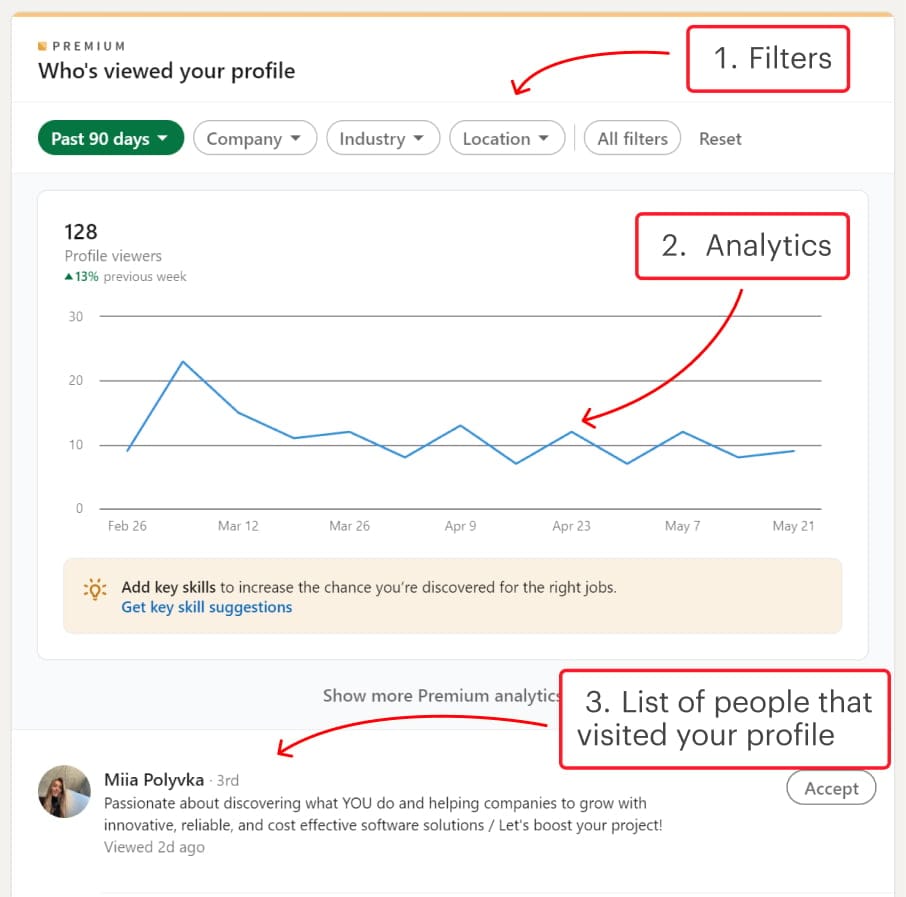
With Premium, you can see everyone who viewed your profile in the last 90 days.
This is more useful than it sounds.
Job seekers can spot recruiter interest
Sales professionals can identify warm leads
Freelancers can see potential clients checking them out
It turns passive views into active opportunities if you follow up correctly.
3. LinkedIn Learning Access
Premium includes full access to LinkedIn Learning, which covers:
Job search strategies
Sales skills
Marketing
Recruiting
Business tools
The courses aren’t fluff. Many are practical and well structured. If you actually use them, this alone can justify the subscription.
4. Unlimited Searches (on some plans)
Free LinkedIn limits you to roughly 300 searches per month. Hit that limit and searches get blocked.
Premium Business, Sales Navigator, and Recruiter plans remove this cap.
If your work depends on finding people, this feature is not optional.
5. Open Profile
Premium users can enable Open Profile, allowing anyone to message them for free.
This is especially useful for:
Freelancers
Consultants
Job seekers
It removes friction and increases inbound opportunities without extra effort.
Is LinkedIn Premium Worth It for Job Seekers?
For most job seekers, LinkedIn Premium Career makes sense.
Here’s why:
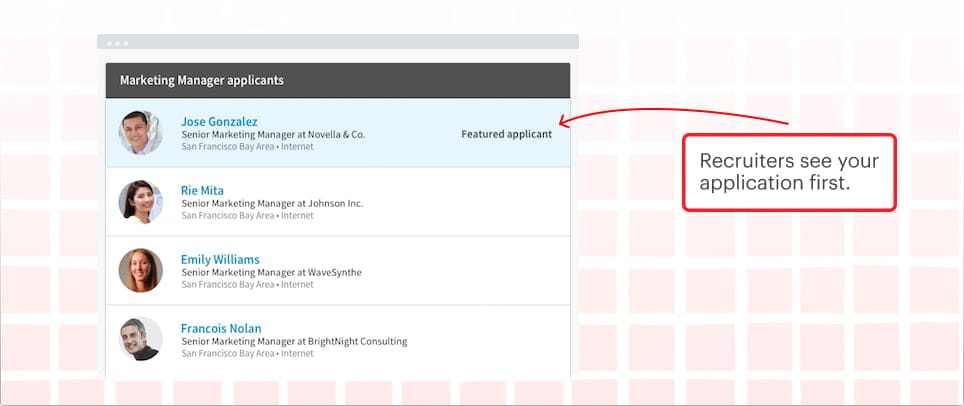
Your applications get highlighted
You can compare your profile with other applicants
You get salary insights
You look more serious to recruiters
InMails can help, but they’re not magic. A strong profile and smart networking still matter more.
If you’re contacting recruiters at scale, Premium Business or even Sales Navigator may be better because of higher InMail limits and unlimited searches.

Overall, LinkedIn Premium Career provides many essential benefits for job searching, making it a good choice for many people looking for new opportunities.
Is LinkedIn Premium Worth It for Sales?
If you’re in sales, skip regular Premium and go straight to Sales Navigator.
Sales Navigator gives you:
Unlimited searches
40+ advanced filters
Saved lead lists
Real time alerts
50 InMails per month
You can track leads, spot buying signals, and reach decision makers faster. When used properly, it easily pays for itself.
Is LinkedIn Premium Worth It for Recruiters?
Recruiters have three real options:
Recruiter Lite
Best for solo recruiters or small teams. Solid tools, manageable cost, and enough InMails for focused hiring.
Surprisingly effective for recruiters who also do sourcing or outreach heavy roles. More filters and lower cost than Recruiter Lite.
LinkedIn Recruiter
Built for large teams and agencies. Expensive, but powerful. Only worth it if hiring volume justifies the cost.
Final Verdict
LinkedIn Premium is not for everyone. But for:
Active job seekers
Sales professionals
Recruiters
…it can remove friction, save time, and open doors that stay closed on the free plan.
The biggest mistake people make is paying for Premium and using it like a free account. The tools work only if you use them intentionally.